Calculator Mechanisms
Common types of Mechanical Calculator Mechanisms:
- Full-keyboard key-driven calculators
- Full-keyboard "Add-lister" calculators
- 10-key "Add-lister" calculators
- Rotary pin-wheel calculators
- Stepped gear calculators
- "Troncet" type stylus calculators
- Dial calculators
There are also other, less common, types of mechanical calculator.
1) Full-keyboard key-driven calculators
- Have a column of keys 1-9 for each decade. Not pressing a key in any column leaves 0 there.
- Add immediately a key is pressed.
- Basically only perform addition, though the other functions are possible using special techniques.
- Keys in different columns can be pressed simultaneously.
- A lever on the right clears the accumulator register.
- Abbreviated keyboards are possible with columns of keys 1-5 for each decade.
Examples
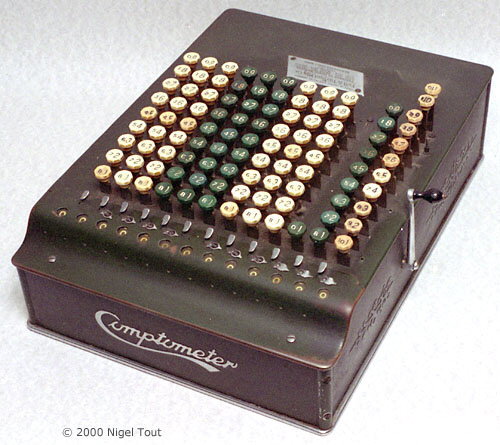
Comptometer
2) Full-keyboard "Add-lister" calculators
- Have a column of keys 1-9 for each decade. Not pressing a key in any column leaves 0 there.
- Keys pressed are latched. The number entered is printed on the listing paper and added to or subtracted from the accumulated total by pulling the lever.
- Basically only perform addition and subtraction, though the other functions are possible using special techniques.
- Totals and sub-totals can be printed.
Examples
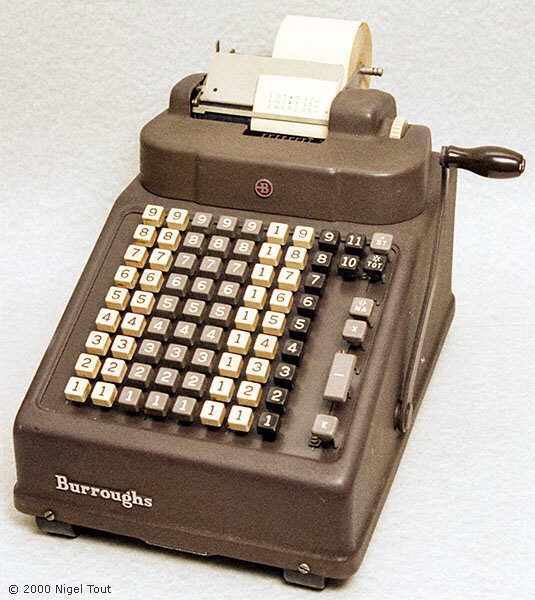
Burroughs Add-lister
3) 10-key "Add-lister" calculators
- Have only the one set of the 10 keys 0-9, like a modern calculator.
- The digits of numbers are entered sequentially, as on a modern calculator, and are latched internally. The number entered is printed on the listing paper and added to or subtracted from the accumulated total by pulling the lever.
- Basically only perform addition and subtraction, though the other functions are possible using special techniques. Advanced calculators may be able to perform multiplication and division automatically.
- Totals and sub-totals can be printed.
Examples
- Olivetti Summa Prima.
- Olivetti Electrosumma 22-R (driven by electric motor).
- SCM 1011 CB (driven by electric motor).
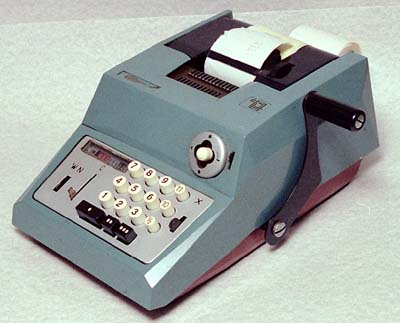
Olivetti Summa Prima (with Sterling currency keyboard)
4) Rotary pin-wheel calculators
- Numbers are entered by moving levers to the required digits (on calculators made by Facit a keyboard is used). This raises the same number of pins on each pin-wheel as the number set in that decade.
- Rotating the mechanism, either manually with a crank or by electric motor, adds the number entered to the accumulator (or subtracts the number from the accumulator if rotated in reverse).
- By rotating multiple times and shifting the accumulator very fast multiplication and division is possible.
Examples
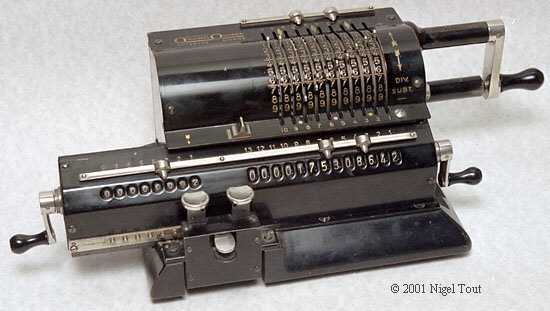
Original Odhner
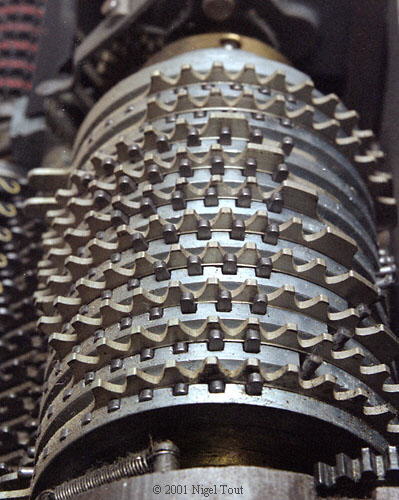
Close up from the right end showing the pin wheels with the number of pins raised on each wheel depending on the number set by each lever (from top to bottom 0087654321).
These pins act as gear
teeth when the crank handle is turned.
- Have a column of keys 1-9 for each decade. Not pressing a key in any column leaves 0 there.
- Pressing a key shifts its associated stepped gear sideways so that the number of teeth engaged is the same as the number on the key.
- Rotating the mechanism, either manually with a crank or by electric motor, adds the number entered to the accumulator (or subtracts the number from the accumulator if rotated in reverse).
- By rotating multiple times and shifting the accumulator, very fast multiplication and division is possible.
Examples
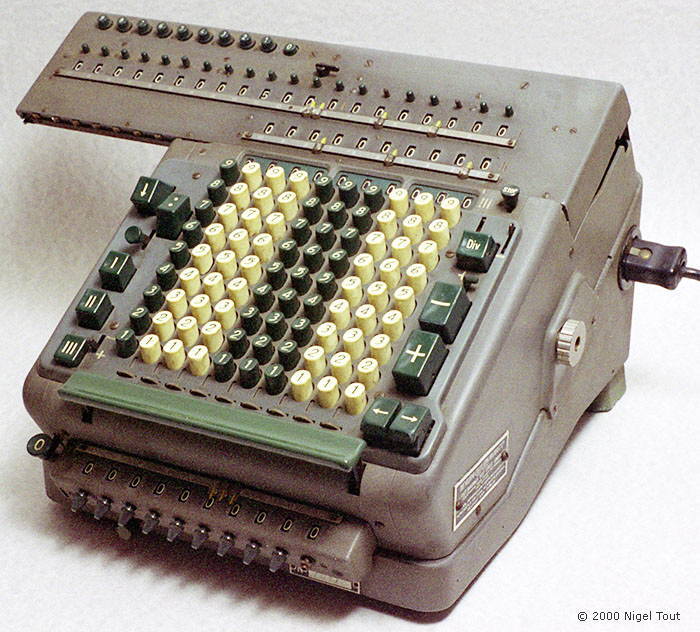
Madas (driven by electric motor)
6) "Troncet" type stylus calculators
- Small, flat calculators, with vertical windows behind which sliding strips with holes and the numbers 1-9 can be seen.
- Numbers are entered by inserting the stylus in the hole against the required digit and sliding the strip to the end of its movement.
- Any carry must be performed manually.
- Usually have one scale for addition and one for subtraction.
- Basically just perform addtion and subtraction.
Examples
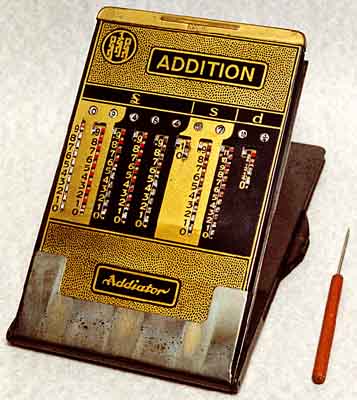
Addiator (sterling currency version)
- Have simple gears marked with numbers for each decade.
- Placing a finger or stylus in each digit of a number in turn and moving the gear till it stops adds the number.
- Carry is performed automatically.
- Basically just perform addtion and, sometimes, subtraction.
Examples
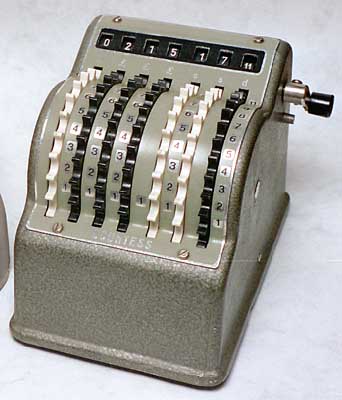
Bowler Countess (Sterling currency version)
Calculator Technology
Vintage Calculators
Text & photographs copyright, except where stated otherwise, © Nigel Tout 2000-2026.