Calculator Keyboard Layouts
The keyboard layouts and operation of the first electronic calculators developed during the 1960s and early 1970s were often based on those of mechanical calculators, or were designed to minimise the electronic circuitry.
Keyboards described on this page are:
Full Keyboard
Early mechanical adding machines such as the Comptometer and some Burroughs machines used "Full Keyboards", as shown below:
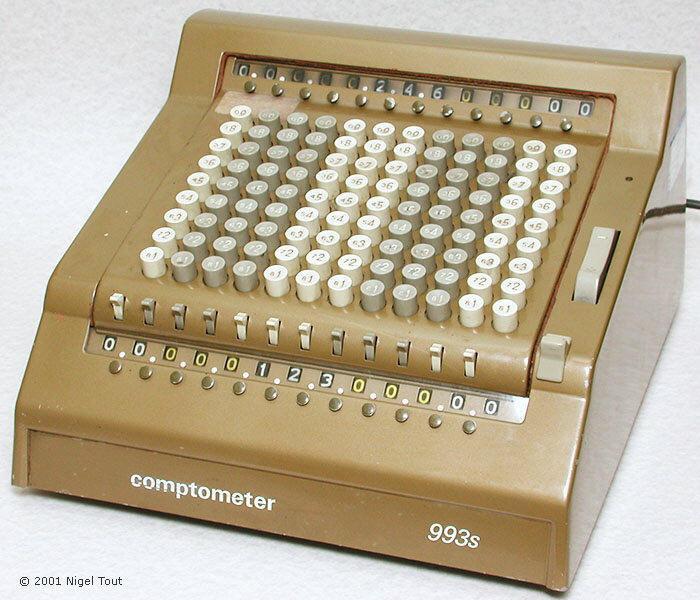
Sumlock-Comptometer 993S, electro-mechanical calculator with full-keyboard. Manufactured by the Bell Punch Co. and introduced in 1963.
A full keyboard machine has columns of keys 1 to 9 for each decimal place. To enter a number the operator presses the appropriate key in each column. After training, operators could operate these machines very quickly by using the fingers of both hands to enter all the digits of a number in one simultaneous press of all the required keys.
Only a few very early models of electronic calculator had a full keyboard: the Anita Mk VII, Anita Mk 8, Anita Mk 9, Anita Mk 10, and Sharp CS-10A.
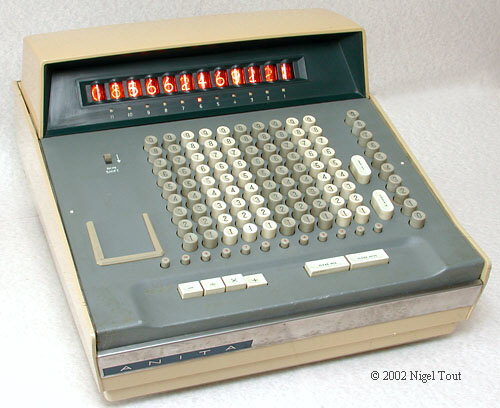
Anita Mk 8 electronic calculator with full-keyboard. Manufactured by the Bell Punch Co. and introduced in 1961.
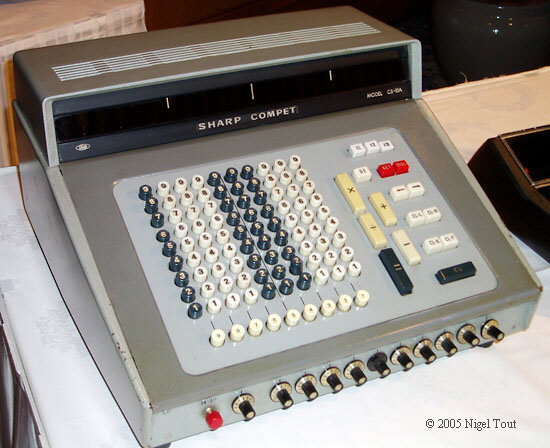
Sharp CS-10A with full-keyboard. Manufactured by the Hayakawa Electric Industry Company (which later became Sharp Corporation) and introduced in 1964.
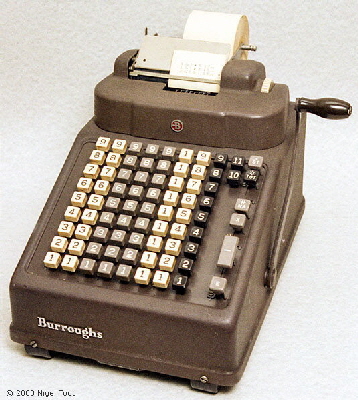
The method of use of hand-operated mechanical add-listers was to enter on the keyboard the number to be added and then pull the lever to perform the addition and print the .
For subtraction, the number to be subtracted is entered on the keyboard, the "-" key is pressed, and the lever is pulled as before.
have two principal operation keys, "+" and "-". To add a series of numbers the first is keyed in and then the "+" key is pressed, and then this is repeated for the remaining numbers and the total to that point is printed after adding each number. To subtract a number, that number is keyed in and then the "-" key is pressed, and the resulting total is displayed.
The common method of operation of simple electro-mechanical add-listers was to have two principal operation keys, "+" and "-". To add a series of numbers the first is keyed in and then the "+" key is pressed, and then this is repeated for the remaining numbers and the total to that point is printed after adding each number. To subtract a number, that number is keyed in and then the "-" key is pressed, and the resulting total is displayed.
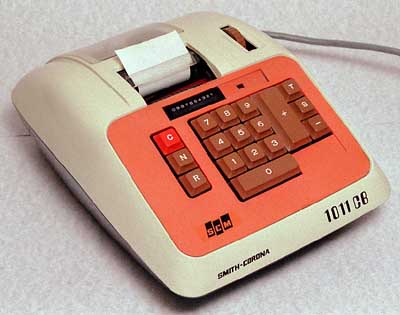
Smith-Corona 1011 CB, electro-mechanical ten-key add-lister. This has two principal operation keys, "+" and "-".
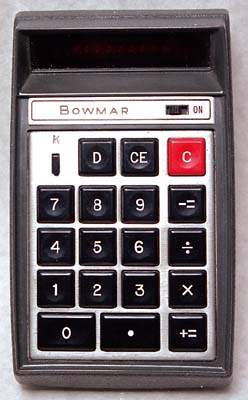
Some early electronic calculators continued to use this method of operation for the "+" and "-" operations, and combined these keys with the "=" key, so the keys are marked "+=" and "-=", or similar.
For addition and subtraction the number is entered and then "+=" or "-=" is pressed, as appropriate, compare with Reverse Polish Notation below.
Multiplication and division use the familiar method of entering the first number,
pressing the "x" or "÷" function key as appropriate, entering the second number, and then pressing the "+=" key to give the answer.
So with these calculators:
4 += 2 += gives the answer 6.
4 += 2 -= gives the answer 2.
4 x 2 += gives the answer 8.
4 ÷ 2 += gives the answer 2.
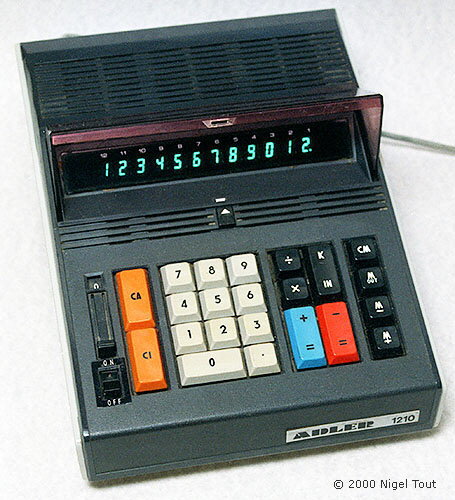
Adler 1210, of about 1971, uses this Adding Machine type operating mode.
Bowmar 901B, of 1971, uses this Adding Machine type operating mode.
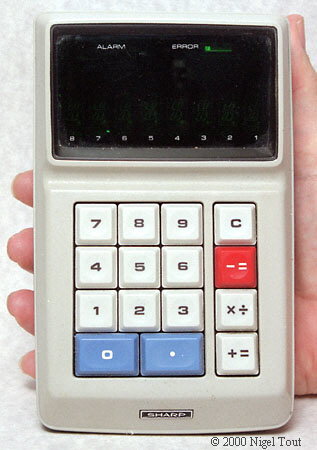
Sharp EL-8, of 1971, has yet another variation of keyboard with a combined "x÷" key.
Here, pressing "x÷" gives the multiplication function if "+=" is subsequently pressed to give the answer, and gives the division function if "-=" is subsequently pressed to give the answer, so:
4 x÷ 2 += gives the
answer 8.
4 x÷ 2 -= gives the answer 2.
This design minimises the number of keys required.
In general, the Adding Machine mode of operation died out among electronic calculators, but persisted in calculators designed for use in offices where people were more used to it, as with the Decimo VATMAN mini office, shown below.
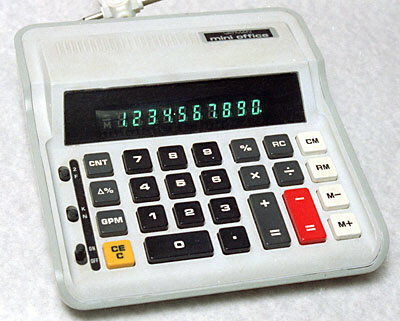
Decimo VATMAN mini office, from the late 1970s, uses the adding-machine operation keyboard.
Reverse Polish Notation is characterised by the lack of an "=" key and usually, but not necessarily, the presence of an "Enter" key. It is derived from Polish Notation, which was proposed by the Pole Jan Lukasiewicz.
When entering the numbers into a calculator the Enter key has to be pressed after the first number, then the second number is keyed in and the operator key is pressed, thus:
6 "Enter" 8 "+" gives the
answer 14.
71 "Enter" 12 "-" gives the answer 59.
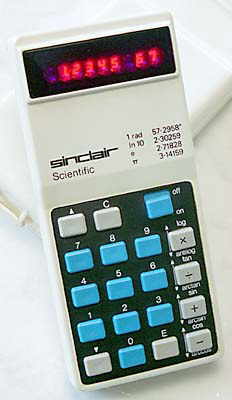
On some calculators, such as the Sinclair Scientific, the "+" key is used instead of an Enter key.
RPN was used on the Friden 130 & 132 in 1964 and was a characteristic of Hewlett Packard calculators, such as the HP-35. It has the advantage of requiring less memory in the calculator electronics, which in the 1960s and early 1970s had a significant cost advantage. The first number is stored, followed by the second number, and then the calculation is executed when the operator key is pressed.
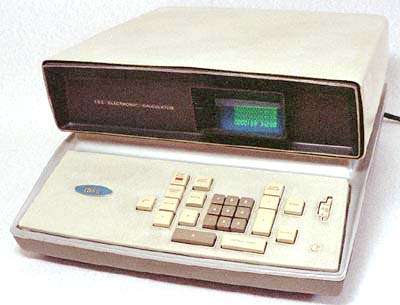
Friden EC-132. The EC-130 (without square root), introduced in 1964, and the EC-132 were among the first transistorised electronic calculators and the first to use RPN.
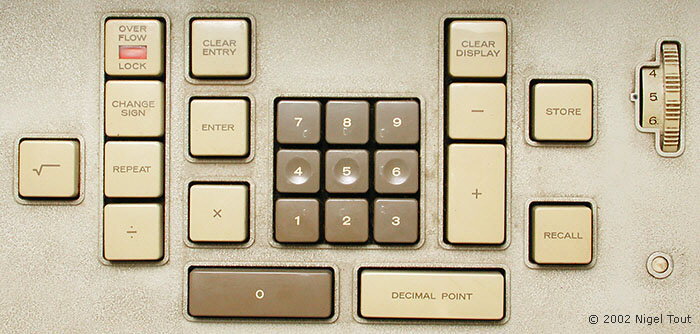
The keyboard of the EC-132 showing the lack of "=" key and the use of the "ENTER" key, characteristic of a RPN machine.
RPN was used mainly by scientific calculators, and a couple of typical examples are shown below.
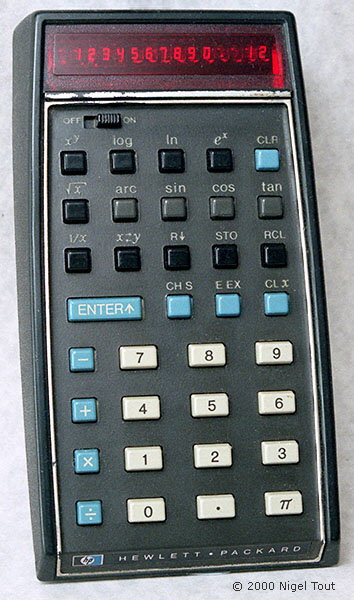
Hewlett-Packard HP-35 of 1972 was the first hand-held scientific calculator, and uses RPN.
The Sinclair Scientific of 1974 was a low-cost scientific calculator using RPN, and uses the "+" key instead of an "Enter" key to enter the first number.
In a calculator with Algebraic Notation the numbers and operator are entered in the way that they would normally be written, thus:
6 + 8 = gives the answer 14.
71 - 12 = gives the answer 59.
With Agebraic notation the first number, the operator, and the second number have to be stored so that the calculation can be executed when the "=" key is pressed. This requires slightly more memory which in the early days of calculators electronics was expensive. However, this became the standard method of operation of electronic calculators.
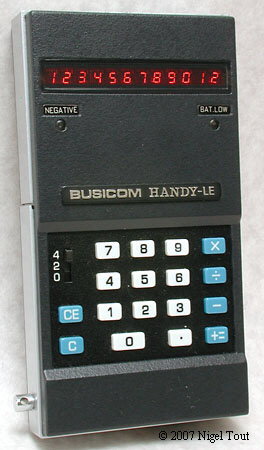
Busicom LE-120A "HANDY-LE", of 1971, which uses algebraic logic. Note that the "+" and "=" key are combined in a "+=" key, though this does not affect the operation of the calculator.
This was the first truly pocket-sized electronic calculator.
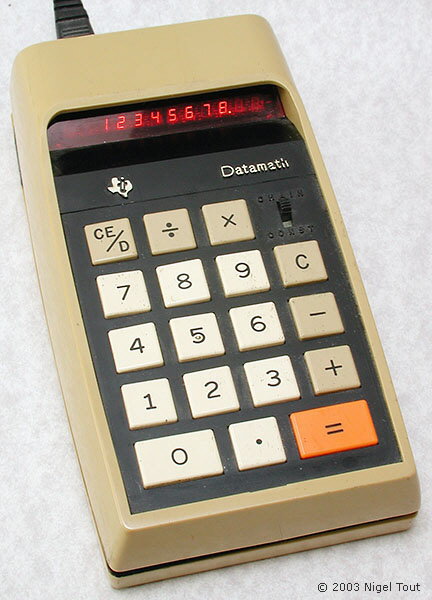
Texas Instruments TI-2500 "Datamath", of 1972, which uses Algebraic Notation.
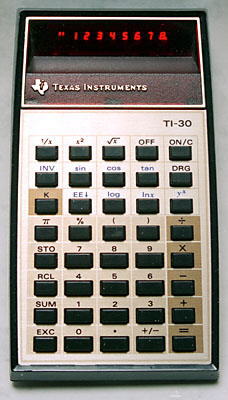
Texas Instruments TI-30, of about 1977, which uses Algebraic Notation and also has parentheses, "(" and ")", to specify the order of operations.
Calculator Technology
Vintage Calculators
Text & photographs copyright, except where stated otherwise, © Nigel Tout 2000-2026.